
Connect and manage with ease
EdgeHub by Edgesync 360 is a centralized platform that streamlines edge connectivity, device management, and data analysis, distributing intelligence across edge devices. It offers a seamless method to mass deploy and update not only software applications but also Docker containers, firmware, operating systems, and Linux applications in batches from cloud to edge. Users would be able to implement new software configurations remotely across an industrial plant or multiple equipment.
EdgeHub success case
Mirai uses EdgeHub for next-gen solar monitoring system
Mirai Electronics managed 400+ solar plants and faced challenges. Using EdgeHub to achieve centralized data, integration, and remote monitoring, boosting efficiency and supporting ESG goals.
 Mirai uses EdgeHub for next-gen solar monitoring system
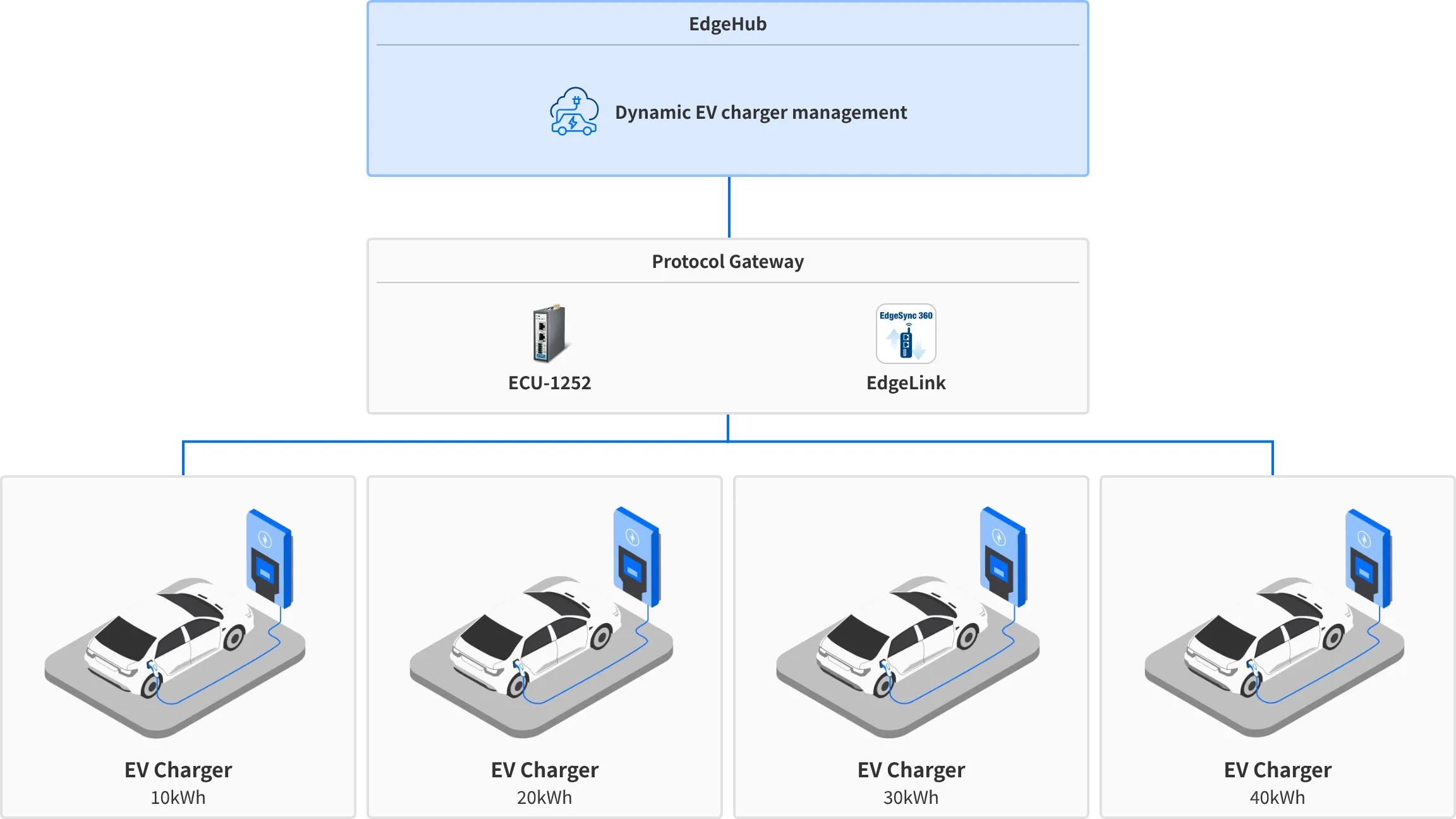
Scenario 1: Dynamic EV charger management
EdgeHub remotely manages gateways connected to EV chargers, optimizing vehicle charging efficiency while ensuring power usage stays within capacity limits.
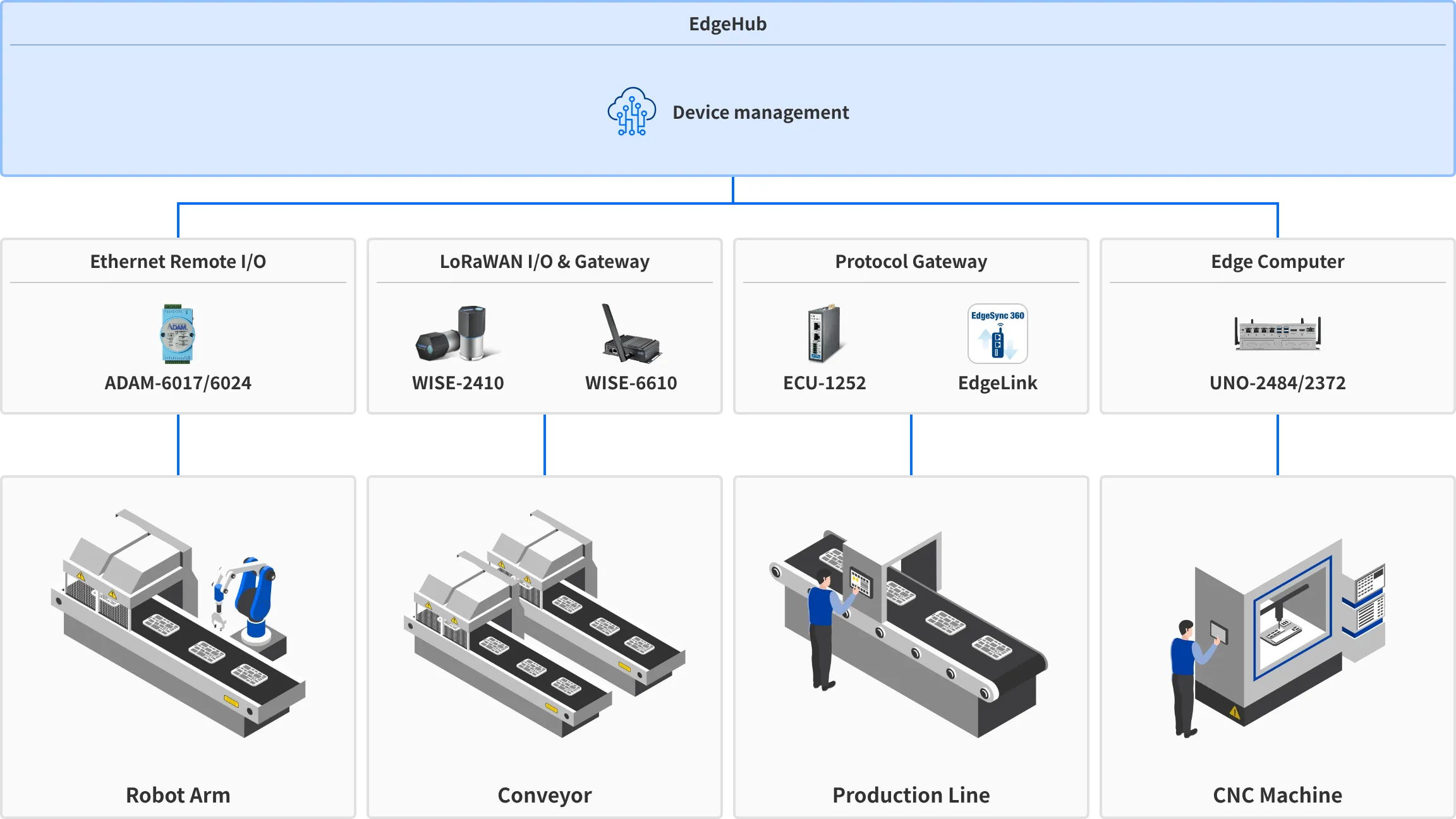
Scenario 2: Remote management for edge devices
EdgeHub enables remote updates of I/O configurations, firmware, and applications on IPCs, ensuring efficient and seamless management of devices across production lines.
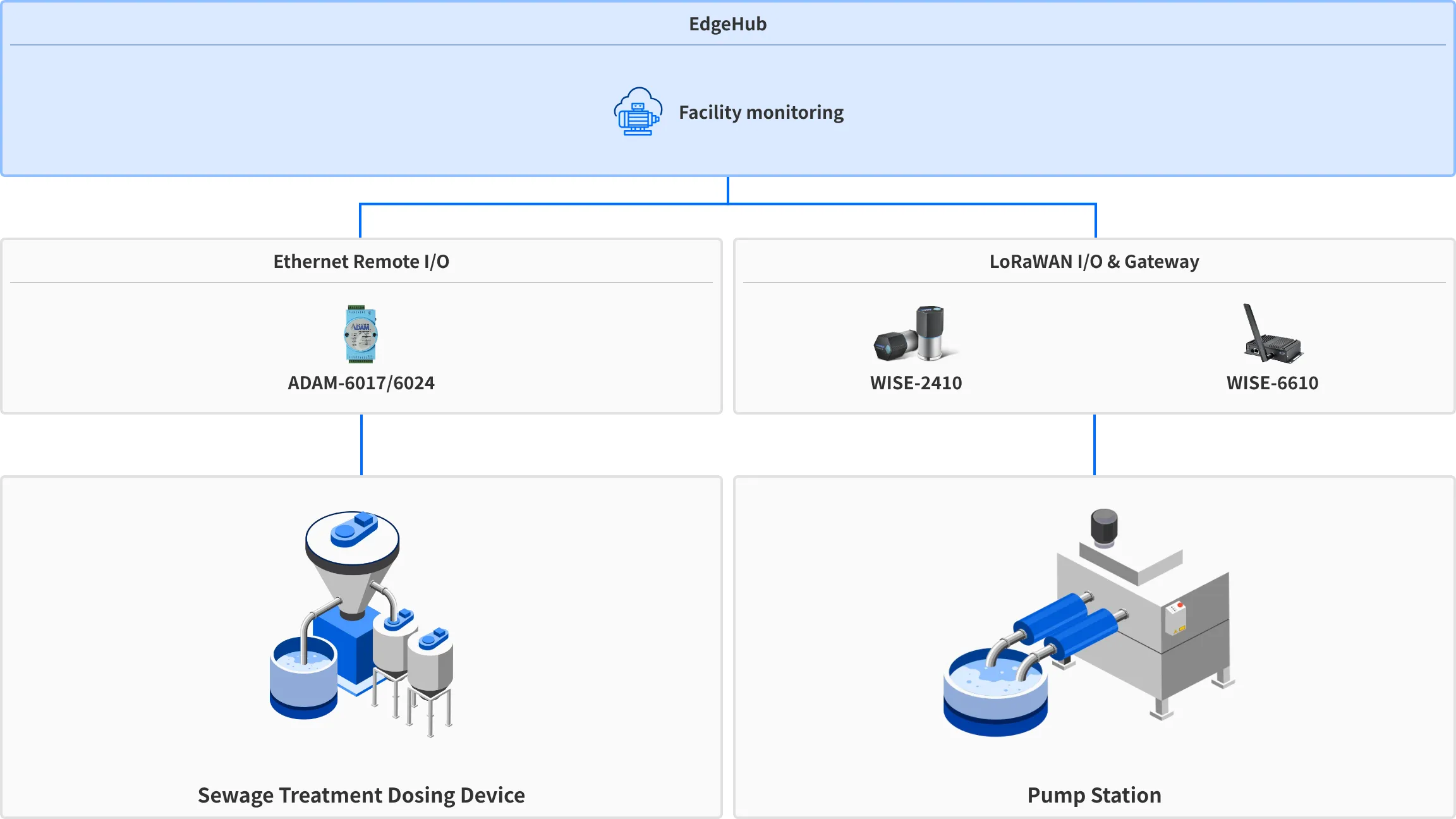
Scenario 3: Wastewater plant remote monitoring
EdgeHub’s dashboard allows water treatment operators to visualize and analyze data, monitor key indicators, and improve system performance by quickly identifying issues.
Frequently asked questions
1
What are the service components of EdgeHub?
EdgeHub consists of several key services that provide seamless device management:- Device onboarding service: Simplifies the process of connecting and setting up new devices on EdgeHub.
- Device configuration service: Manages and deploys firmware and configuration updates to connected devices remotely.
- Security service: Provides robust security features, including encryption, authentication, and access control.
- Data aggregation service: Handles the collection, storage, and analysis of data from devices.
2
How does EdgeHub help with device updates?
3
What type of devices does EdgeHub support?
4
How do I get started?
5
Is EdgeHub available in Free Trial?
